


Learn English, Spanish: Learna
4.66.11K Reviews
App Specs
- Version
- 4.0.2
- Updated On
- License
- Free
- Downloads
- 50,000,000+
- Developer
- Deep Flow Apps
- Categories
- Education
- Platform
- Android, iOS
Screenshots


 Analysis by AppCompare
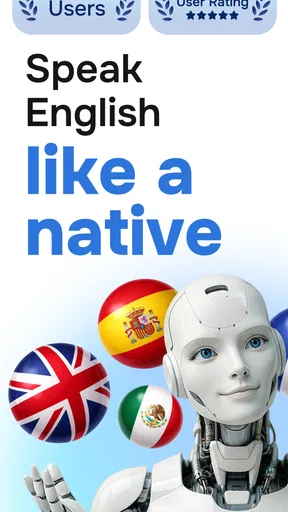
When I choose a language-learning app, I want more than a stack of translations: I need a reason to practise aloud and a routine I can keep up on an ordinary day. Learn English, Spanish: Learna is an education app from Deep Flow Apps that focuses on guided language practice with AI. Its appeal is the mix of speaking, listening, and written work, though the best results still depend on what you bring to each session.
What the free starting point means
Learna is free to download, which makes it easy to try before deciding whether it deserves a place in your routine. The app also offers in-app purchases, with listed items ranging from $0.99 to $199.99. That is a wide spread, so I would check the purchase details inside the app before paying and judge any upgrade by whether it solves a specific need for you. The free price is a useful starting point, not a reason to assume every lesson or feature is included at no cost.
That distinction matters if you are comparing it with a free video, a language-learning website, or a paid tutor. Those alternatives may suit you better for a particular goal, but their costs and teaching styles differ. With Learna, I would begin by seeing how much useful practice I can get without spending anything, then consider a purchase only if the app’s approach fits the way I actually study.
What the practice is good for
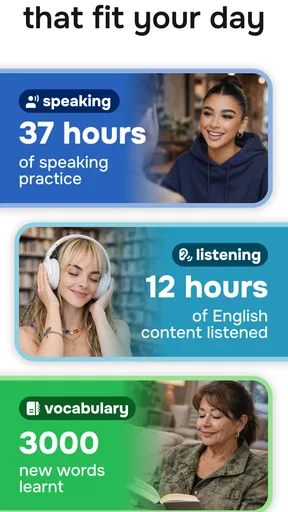
As an app built around English and Spanish learning, Learna is most useful when you want to turn small pockets of spare time into active practice. A short session can be easier to fit between errands than a formal class, and speaking exercises give you a reason to produce a phrase rather than only recognize it on a screen. I find that distinction important: understanding a sentence quietly is not the same as being ready to say it in a conversation.
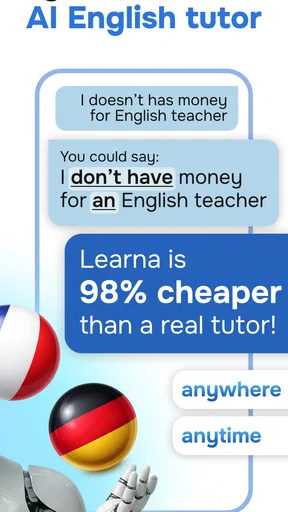
The AI-guided format can also make practice feel less exposed than speaking in front of a group. That is especially helpful if you are shy about making mistakes or want to rehearse a phrase before using it with another person. I would treat the feedback as a practice aid, not as a substitute for every kind of instruction; real conversations bring interruptions, varied voices, and context that an app session cannot fully recreate.
A realistic routine might be to open the app while waiting for a bus, practise a handful of phrases, and later try to recall one without looking. That second step is a useful test of whether you learned something rather than simply completed an exercise. If a phrase is relevant to an upcoming trip, appointment, or conversation, I would make a note of it and practise saying it naturally, not just repeat it until the screen marks the task done.
How Learna fits into a language routine
I use a small, specific goal to make Learna practice count: choose a phrase you expect to need, then try to recall and adapt it later without looking. That turns a spare-minute session into a check on what actually stuck, rather than just another completed exercise. It also helps me decide whether this style of guided practice deserves a regular place in my routine.
Worth Reading Before You Choose

Flipboard Shows What News Apps Must Do Beyond the Feed

Switching to Android Auto Means Rethinking Your Driving Routine

Google Calendar Makes a Crowded Week Easier to Manage

Ludo King Makes the Most of the Minutes Between Plans

Baby Panda World Brings Quick Play to Modern Phones, but Its Game Library Feels Busy

ESPN’s Live Game View Makes Following Close Games Easier
Using lessons with a clear purpose
I get more from language apps when I set a small goal before opening them. For example, I might decide to practise introducing myself in Spanish or to work on understanding a short spoken exchange in English. A concrete aim helps me notice which activities are useful and keeps a session from becoming a string of taps done mainly to maintain momentum.
One practical trade-off is that a guided path can reduce the effort of choosing what to study, but it may not match the exact vocabulary you need that day. If you are preparing for a specific situation, use the app’s practice as groundwork and then rehearse your own likely sentences as well. A general lesson can build confidence; it cannot know every detail of your plans or replace preparation for a specialist subject.
For pronunciation work, I would practise in a quiet place and speak at a natural pace. Rushing through a phrase just to finish an exercise makes it harder to tell whether the result reflects your pronunciation or simply a hurried attempt. It is also worth repeating a phrase later, after a break: getting it right once can feel encouraging, but recalling it again is a better sign that the practice is sticking.
Where it sits beside other options
Compared with flashcard-only tools, Learna’s emphasis on speaking and listening is a better fit if your main worry is being able to say something out loud. Flashcards can be excellent for quick recall and focused vocabulary review, but they do not necessarily give you the same kind of spoken rehearsal. On the other hand, if you want a tightly controlled deck of specialist terms, a dedicated flashcard tool may be more direct.
Compared with a class or tutor, an app is easier to use whenever you have a spare moment and lets you repeat an exercise without worrying about taking up someone else’s time. A teacher can respond to the meaning behind your mistakes and adapt a conversation on the spot, which remains valuable if you need detailed correction or accountability. I see Learna as a convenient practice companion rather than a complete replacement for human instruction.
It also differs from learning through films, podcasts, or conversation videos. Those sources can expose you to natural speech and varied contexts, while structured app work gives you a more deliberate opportunity to practise. If you are already comfortable with basic phrases, combining short app sessions with real listening can make your routine more rounded than relying on either format alone.
Who is likely to get the most from it
I would recommend giving Learna a try if you are a beginner, returning to English or Spanish after a break, or looking for a low-pressure way to practise speaking regularly. It can also suit someone who knows vocabulary but hesitates when it is time to form a sentence aloud. The key is to use it actively: speak, listen closely, and revisit the phrases that feel difficult instead of treating progress as a matter of finishing screens.
It is less suitable as your only resource if you need formal exam preparation, highly specialised vocabulary, detailed grammar explanations, or sustained conversation with a person. In those situations, I would look for a course, teacher, or reference material designed around that requirement and use an app only for extra practice. If you dislike speaking to a phone or prefer to learn through long-form reading, the central appeal may not suit you either.
The app is rated for Everyone, and its current version is 2.2.4, with Android support listed from version 7.0. It has a 4.6 average from around 418,000 ratings and over 10 million installs, which suggests broad uptake, though popularity alone cannot tell you whether its lesson style will fit. I would use the free access to answer that personal question before considering any paid item.
Small habits that make practice more useful
One habit I find helpful is to keep a short list of phrases I genuinely expect to use. After a lesson, I choose one phrase, say it without reading, and then adapt it to a different situation. That simple transfer step can reveal whether I understand the pattern or have only memorised a single example. It also makes app practice feel connected to daily life rather than isolated from it.
Another useful approach is to separate confidence from accuracy. A voice exercise can encourage you to speak, but a successful attempt does not automatically mean every sound or word choice is natural. I would use feedback as a prompt to try again and pay attention to what changed, while remembering that language is also about being understood and responding to another person.
For a busy week, consistency matters more than planning an ambitious session that never happens. I would rather practise briefly when I have a real opening in the day than promise myself a long study block every evening. If you miss a day, simply return to the next useful exercise instead of turning the app into another source of guilt.
What to check before spending
Because purchases vary in price, I would not decide based on a headline promise or assume that the most expensive option is the right one. First, use the free experience long enough to see whether you like the lesson style and whether speaking practice feels comfortable. Then read the purchase screen carefully so you know what a particular item covers before confirming it.
Ask yourself what is currently missing from your routine. If you need more practice in the format Learna already makes convenient, a paid option may be worth considering for you. If your real obstacle is lack of time, a purchase is unlikely to fix that; a smaller, repeatable habit is a better first step. And if you need expert correction, a human teacher may be a better use of your learning budget.
My take on the experience
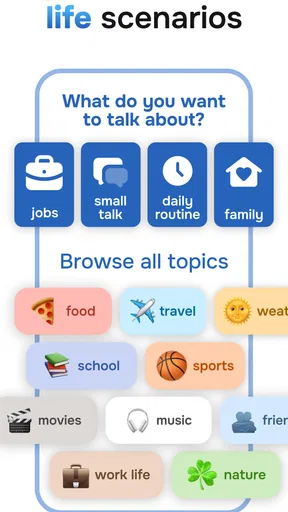
Opening the app, you’re greeted with a sleek and intuitive interface. It’s super easy to navigate, which is a huge plus if you’re as impatient as I am when it comes to learning new apps. Learna offers a variety of languages, but I focused on English and Spanish since those are the most popular choices.
Features That Stand Out
One thing that immediately caught my eye was the interactive lessons. These aren’t your typical textbook drills; they’re dynamic and engaging. You can practice speaking, listening, and even writing with the app’s clever AI feedback system. It’s like having a personal tutor in your pocket.
Another cool feature is the gamification aspect. You earn points and badges as you progress, which adds a fun competitive edge to your learning. I’m not usually one for games, but who doesn’t love a little extra motivation?
Getting Down to Business
Practicing my Spanish, I noticed how effective the pronunciation exercises are. The app uses voice recognition technology to help you fine-tune your accent. At first, I was skeptical about talking to my phone, but it turned out to be incredibly helpful. My confidence skyrocketed after a few sessions.
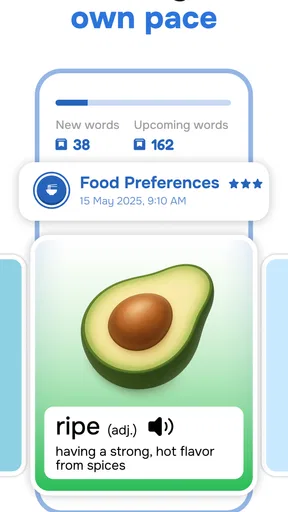
The vocabulary builder is another highlight. It uses spaced repetition, a scientifically-backed method, to ensure you retain what you learn. The app cleverly mixes in new words with ones you’ve already studied, keeping your memory sharp.
The Little Things That Matter
I appreciated the personalized learning paths. Once you start, Learna adjusts the content based on your progress and preferences. It’s like the app knows exactly what you need to focus on, which makes the learning process much more efficient.
And let’s not forget the cultural insights sprinkled throughout the lessons. They’re not just teaching you the language but also giving you a taste of the culture, which is invaluable if you’re planning to travel or work abroad.
Final Thoughts
Overall, Learn English, Spanish: Learna delivers on its promise to make language learning accessible and enjoyable. Whether you’re a complete beginner or just looking to polish your skills, this app has something to offer. It’s user-friendly, packed with features, and, most importantly, it keeps you engaged.
If you’re serious about learning a new language, give Learna a try. It’s a small investment of time that could open up a world of opportunities. Plus, you’ll finally be able to impress your friends with those Spanish phrases you’ve mastered!
Pros
- User-friendly interface for easy navigation.
- Offers a wide range of languages to learn.
- Daily goals help maintain learning consistency.
- Includes interactive exercises for engagement.
- Offline mode available for learning on the go.
Cons
- Limited free content without subscription.
- Pronunciation tools could be improved.
- Occasional app crashes reported by users.
- Some features require a stable internet connection.
- Ads can be intrusive in the free version.
FAQs for Learn English, Spanish: Learna
What languages can I learn with Learna?
Learna offers language courses primarily in English and Spanish. It provides an immersive learning experience with a range of interactive lessons, audio clips, and quizzes to help users effectively learn and practice both languages. The app continually updates its content to include new phrases and vocabulary.
Is Learna suitable for beginners?
Absolutely! Learna is designed to cater to all proficiency levels, including beginners. The app starts with foundational vocabulary and grammar and gradually progresses to more advanced concepts. Users can track their progress and revisit lessons to reinforce their understanding and improve their language skills.
Does Learna require an internet connection to use?
While Learna requires an internet connection for initial downloads and updates, many of its features, such as basic lessons and quizzes, can be accessed offline. This makes it convenient for users who want to learn on the go without worrying about connectivity issues.
Are there any in-app purchases in Learna?
Yes, Learna offers in-app purchases. While the app provides a variety of free content, some advanced lessons and features are available through a subscription or one-time purchases. This allows users to tailor their learning experience according to their needs and budget.
How does Learna ensure effective language learning?
Learna uses a combination of interactive lessons, real-life conversations, and engaging quizzes to ensure effective learning. It adapts to the user's learning pace and provides personalized feedback, making it easier to grasp new concepts and retain information. The app's use of gamification keeps the learning process fun and motivating.


